

Charting Your Course: How developer-roadmap Becomes Your Career Compass
As a full-stack developer, I've seen my fair share of "ultimate guides" and "learn X in Y days" promises. The reality of professional growth in tech is often less about quick wins and more about sustained, structured learning amidst a constantly evolving landscape. That's where a resource truly shines, especially one that doesn't just offer knowledge but helps you contextualize it within a larger career trajectory. And that, my friends, is exactly what nilbuild/developer-roadmap delivers – an astonishingly comprehensive, community-driven, and interactive directory of learning paths that has become an indispensable tool in my own arsenal, and for hundreds of thousands of developers worldwide.
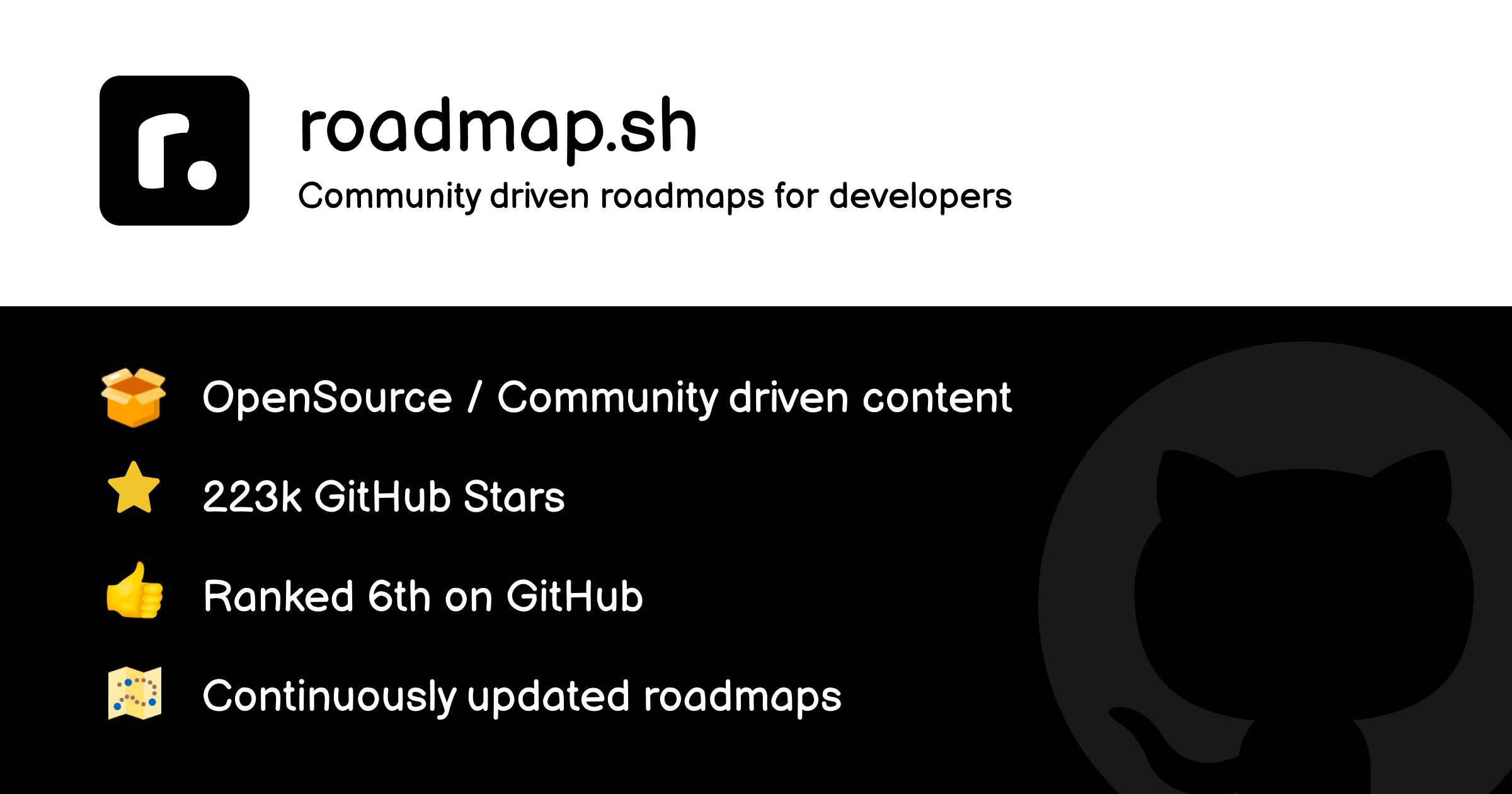
Forget static infographics or outdated blog posts. The developer-roadmap project, hosted at roadmap.sh, isn't just a collection of pretty pictures; it's a dynamic, living ecosystem designed to help you navigate the sprawling jungles of software development. With over 366,000 GitHub stars, it's not just popular; it's practically canonical for anyone serious about professional development. But what makes it so special? It's more than just what's written in the README; it's about the philosophy, the architecture, and the vibrant community that fuels its continuous evolution.
Explaining the Why: Beyond the README
The problem developer-roadmap solves is deeply personal to every developer: information overload and the paralyzing fear of "what should I learn next?". The tech world moves at breakneck speed. New frameworks emerge, existing ones evolve, and foundational concepts remain crucial. Without a clear path, it's easy to jump from tutorial to tutorial, accumulating fragmented knowledge without a coherent understanding of how it all fits into a career or a specific role.
The why behind developer-roadmap is elegantly simple: provide clarity and direction. It distills complex career paths – from Frontend to DevOps, Blockchain to QA – into digestible, interconnected nodes. Each node represents a concept, a tool, or a skill, with links to external resources for deeper dives. This design isn't accidental; it's a deliberate choice to combat analysis paralysis. Instead of giving you a massive reading list, it provides a visual, step-by-step progression, showing you not just what to learn, but when and why it's relevant in the grand scheme.
This visual and interactive approach is a game-changer. Our brains process visual information much faster than text. Seeing the interconnectedness of topics helps build a mental model of a discipline, revealing dependencies and logical flow that a linear text-based guide often obscures. This proactive structure acts as a mentor, guiding you through the often-intimidating journey of mastering a new domain, ensuring you build a solid foundation before moving to more advanced topics. It tackles the core cognitive challenge of learning complex systems by breaking them down into manageable, logical chunks.
A Developer's Companion: My Personal Journey with developer-roadmap
I first stumbled upon developer-roadmap a few years ago when I was feeling a bit adrift in my backend specialization. I knew I needed to expand my skill set, perhaps into more advanced architectural patterns or even dabble in DevOps, but the sheer volume of information on CI/CD, Kubernetes, and cloud platforms felt overwhelming. I opened the "DevOps Roadmap" on roadmap.sh, and it was like a fog lifting.
What immediately struck me was the balance. It didn't just list technologies; it started with foundational concepts: "Learn a Programming Language," "Operating System Concepts," "Networking." This emphasis on fundamentals resonated deeply with me. It’s easy to get caught up in the hype of new tools, but developer-roadmap constantly reinforces the importance of underlying principles.
One particular "gotcha" I've experienced with learning resources is the "paradox of choice"—too many options lead to no choice at all. developer-roadmap expertly sidesteps this by offering opinionated but not dictatorial paths. For instance, when diving into a specific topic like "Databases," it might list popular options like PostgreSQL, MySQL, MongoDB, and Redis, but it integrates them within a broader context, allowing you to understand why you might choose one over the other based on the requirements laid out in previous roadmap nodes.
I remember distinctly navigating the "Software Architect Roadmap." It wasn't about learning new languages, but about understanding patterns like microservices, domain-driven design, and system design principles. The roadmap helped me connect concepts I'd encountered in isolation and see how they fit into a cohesive architectural vision. It excelled at providing a high-level overview without sacrificing the depth necessary to understand the why behind each recommendation.
The surprising behavior for me was how effectively it fosters a sense of accomplishment. Marking nodes as complete, seeing the progress bar fill up, and visually connecting the dots of my learning journey provided a tangible sense of momentum that traditional learning resources often lack. It turned a daunting task into a series of achievable milestones.
Navigating Your Path: A Step-by-Step Workflow
Let's walk through a common scenario: you're a developer familiar with web basics, and you want to become a proficient React developer. Here's how you'd typically leverage developer-roadmap:
- Identify Your Goal: Your goal is "React Developer."
- Access the Roadmap: Navigate your browser to roadmap.sh and click on the "Frontend Roadmap," then specifically select "React Developer Roadmap."
- Initial Overview: Take a moment to scan the entire roadmap. Notice the major sections: "Internet," "HTML," "CSS," "JavaScript," "Package Managers," "Build Tools," "Choose a Framework (React)," and then React-specific topics like "Styling," "State Management," "Testing," and so on. This gives you a bird's-eye view of the journey ahead.
- Start from the Fundamentals: The roadmap is designed to be followed sequentially, from left to right, top to bottom. Even if you think you know "HTML Basics," click on that node. It will often reveal sub-nodes or external links.
- Engage with Interactive Nodes: As you learn a concept, click the node to mark it as "done" or "learning." This progress tracking is incredibly motivating. For nodes like "Learn JavaScript," you'll find a dropdown or links to highly recommended resources (MDN, freeCodeCamp, etc.).
- Deep Dive into Resources: The roadmap provides the what and the when. For the how, it links you to external articles, documentation, courses, and tutorials. For example, under "React Hooks," you might find a direct link to the official React documentation on Hooks, alongside a popular blog post explaining advanced usage.
- Practice and Apply: The roadmap is a guide, not a substitute for hands-on coding. As you complete sections, take the initiative to build small projects that apply what you've learned. For instance, after completing "State Management," try building a simple To-Do application using Redux or Zustand.
- Regular Review and Update: The tech landscape changes. Revisit your chosen roadmap periodically. New nodes might appear, or existing ones might be updated. The open-source nature means the content is constantly refined by the community.
This systematic approach ensures you build knowledge layer by layer, reinforcing concepts and preventing you from getting lost in a sea of disjointed tutorials.
Under the Hood: Architectural Insights & Design Decisions
The success of developer-roadmap isn't just in its content; it's also in its underlying architecture and development practices. The project's primary language is TypeScript, a choice that reveals a significant commitment to maintainability, scalability, and developer experience—crucial for a project with this many contributors and a vast amount of structured data.
Why TypeScript Matters:
For a project managing complex, interconnected data like roadmaps (nodes, connections, resource links, categories, statuses), TypeScript provides invaluable type safety. Imagine a RoadmapNode interface:
interface RoadmapNode {
  id: string;
  label: string;
  url?: string; // Optional external link for learning
  children?: string[]; // IDs of dependent nodes
  type: 'concept' | 'tool' | 'language';
  status?: 'done' | 'learning' | 'skipped'; // User's progress
  description?: string;
}
This structure, enforced by TypeScript, ensures that all roadmap data conforms to a predictable shape. This prevents common runtime errors, makes refactoring safer, and significantly improves the developer experience for contributors who need to understand and modify the roadmap data or the application logic. Given the sheer size of the project and its community, this strong typing is essential for managing complexity.
Architecture and Design Trade-offs: The website, roadmap.sh, itself is a testament to modern web development. While the specific framework isn't explicitly stated in the public repo description, the interactive nature, combined with TypeScript, strongly suggests a client-side rendered application built with a framework like React or Vue. The choice of a highly interactive frontend framework allows for:
- Dynamic Visualizations: Users can drag, zoom, and interact with the roadmaps seamlessly.
- Real-time Progress Tracking: User progress (marking nodes as done) is stored, likely locally in
localStorageor optionally synced to a backend if a user account system were implemented (currently, it's mostly client-side focused for simplicity). - Scalability for Content: The content itself (the roadmap data) can be managed as structured files (e.g., JSON, YAML, or even directly in TypeScript files) within the repository, acting as a single source of truth.
The primary trade-off of this approach is potentially slower initial load times for very large roadmaps if not optimized, but modern bundling and code-splitting techniques mitigate this. The benefits of interactivity and a rich user experience overwhelmingly outweigh these potential drawbacks for an educational resource of this nature. The decision to make it open-source further amplifies its impact:
- Community-Driven Curation: The "NOASSERTION" license, while technically ambiguous, fosters an incredibly active community of contributors. This is a critical design decision – relying on the collective intelligence of thousands of developers to keep the content fresh, accurate, and relevant. No single individual or small team could maintain such a vast and dynamic knowledge base alone.
- Diverse Perspectives: With contributions from developers across various specializations and experience levels, the roadmaps reflect a broader, more nuanced understanding of career paths than any proprietary, single-authored guide. This democratic approach ensures the content remains unbiased and representative of actual industry practices.
Real-World Impact: A Case Study in Career Transition
Consider Sarah, an experienced backend developer proficient in Java and Spring Boot. After five years, she felt a strong pull towards a DevOps role, driven by a desire to understand the entire software delivery lifecycle. She knew the fundamentals of Linux and networking but lacked practical experience in CI/CD pipelines, containerization, and cloud infrastructure.
Sarah turned to the "DevOps Roadmap" on roadmap.sh. Instead of blindly jumping into Kubernetes tutorials, the roadmap guided her through the prerequisites:
- Operating System Concepts: A refresher on Linux commands, shell scripting, and process management.
- Networking Basics: Reaffirming her understanding of HTTP/S, DNS, Load Balancing.
- Learn a Programming Language: She already had Java, but the roadmap recommended Python or Go for scripting, which she started exploring.
- Version Control (Git): Although she used Git daily, the roadmap highlighted advanced concepts like GitFlow and semantic versioning.
- Linux/Bash Scripting: This was a major focus, as automation is key in DevOps. The roadmap pointed her to excellent interactive courses.
As she progressed, the roadmap laid out clear paths for:
- Containerization: Docker, Docker Compose, then Kubernetes. The interconnected nodes clearly showed that understanding Docker was a prerequisite for Kubernetes.
- CI/CD: Jenkins, GitLab CI, GitHub Actions. She could choose based on relevance to her target roles.
- Cloud Providers: AWS, Azure, GCP. The roadmap presented these as distinct, parallel learning paths, allowing her to focus on one.
- Infrastructure as Code (IaC): Terraform, Ansible. She realized the importance of automating infrastructure provisioning.
Using developer-roadmap, Sarah methodically built her DevOps expertise. She marked nodes as she learned, celebrated small victories, and used the provided links to dive deep into documentation and tutorials. Within eight months, she was confident enough to apply for Junior DevOps Engineer roles, successfully transitioning her career. The roadmap provided the structure and confidence that a scattered approach simply couldn't.
Verdict: Who Should Use developer-roadmap (and Who Shouldn't)
Based on its immense value and my personal experience, here's my verdict on developer-roadmap:
Best Suited For:
- Beginner Developers: Provides an invaluable, structured entry point into the vast world of software development, offering clear paths for initial specialization.
- Career Transitioners: Like Sarah, developers looking to switch domains (e.g., from backend to frontend, or traditional ops to DevOps) will find it an indispensable guide.
- Experienced Developers Filling Gaps: Even seasoned pros have blind spots. The roadmaps are excellent for identifying areas of weakness or exploring adjacent technologies.
- Mentors and Educators: A fantastic resource for structuring curriculum or guiding mentees, offering a standardized yet flexible learning framework.
- Teams and Organizations: Useful for mapping out skill development paths for team members, ensuring everyone has access to a common learning framework.
Not Suited For:
- Deep, Project-Based Learning: While it provides the what and the why,
developer-roadmapisn't a substitute for hands-on, project-driven learning. It points you to resources, but you still need to build things to truly internalize knowledge. - Highly Specialized, Bleeding-Edge Research: The roadmaps focus on established or rapidly emerging industry standards. If you're exploring niche academic research or experimental technologies years away from mainstream adoption, you'll need to look elsewhere.
- Exclusive Source of Knowledge: It's a compass, not the entire map. It aggregates and organizes, but the actual learning happens through the external resources it links to. Don't fall into the trap of just marking nodes as done without doing the underlying work.
In conclusion, developer-roadmap isn't just a project; it's a movement. It democratizes career planning in tech, providing a clear, interactive, and community-curated pathway for anyone looking to grow. It tackles the core challenge of information overwhelm with elegance and practicality, and it does so with the power of open source. If you're looking for structure, clarity, and a powerful companion on your developer journey, you owe it to yourself to explore this phenomenal resource.
Start charting your future today. Discover developer-roadmap and countless other transformative FOSS projects on Fossy.dev.



