
OpenCode: The Open-Source AI Agent Revolutionizing How We Build Software
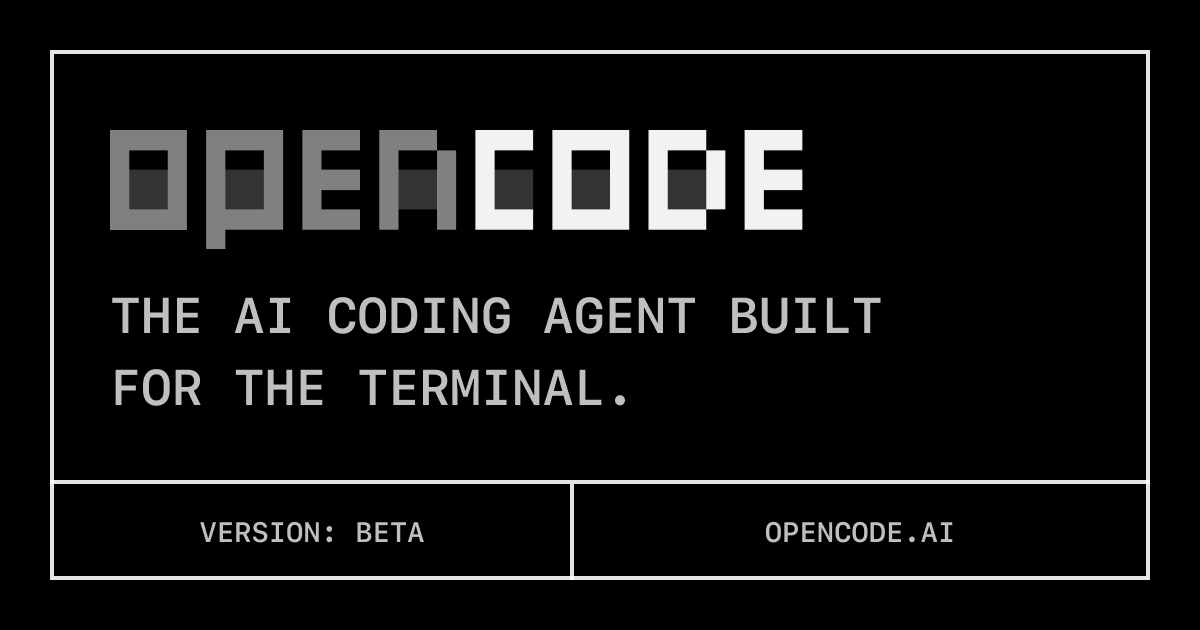
What if your coding agent could not only write code but also learn, debug, and evolve with your project? For years, the promise of AI in software development has been tempered by proprietary solutions, black-box models, and a lack of control. But a new paradigm is emerging, driven by projects like OpenCode, the open-source coding agent that's empowering developers to take back control, accelerate their workflows, and truly collaborate with intelligent systems. This isn't just about code completion; it's about an autonomous agent that understands intent, iterates, and adapts, all within a transparent, community-driven ecosystem.
Beyond Autocomplete: The Architecture and Philosophy of OpenCode
OpenCode isn't merely a fancy IDE extension or a souped-up autocomplete tool; it's an autonomous AI agent. At its core, OpenCode is built around an agentic architecture, meaning it can receive a high-level goal and break it down into sub-tasks, execute those tasks, evaluate the results, and course-correct as needed. This iterative, self-improving loop is what truly differentiates it from simpler AI assistants.
The "why" behind OpenCode's open-source nature is as important as the "what." In the rapidly evolving world of AI, transparency and control are paramount. Proprietary solutions, while convenient, often come with significant trade-offs: vendor lock-in, opaque decision-making processes, potential data privacy concerns, and limitations on customization. OpenCode tackles these head-on. By being open-source, it offers:
- Transparency: Developers can inspect the source code, understand how the agent works, and verify its behavior. This is crucial for trust and debugging.
- Customization: The modular architecture allows developers to swap out components – perhaps integrating a local LLM, custom tools, or specialized agents – to perfectly fit their specific tech stack and workflow.
- Community-Driven Innovation: The collective intelligence of the open-source community can rapidly identify bugs, contribute new features, and develop integrations at a pace proprietary teams often struggle to match.
This architectural choice, while offering immense power and flexibility, does imply a slightly higher initial setup complexity compared to a purely "plug-and-play" commercial product. The trade-off, however, is clear: a system you truly own, understand, and can evolve indefinitely, free from external constraints. It’s an investment in future-proofing your development process.
Getting Started with OpenCode: Building a Simple CLI Tool
To truly appreciate OpenCode, let's walk through a practical example. Imagine you need a simple Python CLI tool that takes a string and reverses it. Instead of coding it from scratch, let's task OpenCode.
Prerequisites: You'll need Node.js and npm installed, and an API key for an LLM provider (like OpenAI, Anthropic, etc.) set as an environment variable. For this example, let's assume OPENAI_API_KEY is set.
-
Install OpenCode: First, install OpenCode globally via npm.
npm install -g opencode -
Initialize a Project: Navigate to your desired project directory and initialize OpenCode. This sets up necessary configuration files.
mkdir my-reverse-cli
cd my-reverse-cli
opencode init
This command might create a default
.opencode.jsonor similar configuration. For now, we'll rely on environment variables for the LLM key. -
Prompt the Agent: Now, let's give OpenCode its task. We'll use the
opencode runcommand with a clear, concise prompt.opencode run "create a Python command-line tool that takes a single string argument and prints the reversed string to stdout. Ensure it handles no arguments gracefully."OpenCode will then begin its process:
- Planning: It will articulate a plan, e.g., "I need to create a Python script, parse command-line arguments, reverse the string, and print it."
- Execution: It will generate the Python code (
reverse_string.py). - Evaluation: It might test the code (if testing capabilities are configured or inferred).
- Refinement: If it identifies issues (e.g., incorrect argument parsing), it will attempt to fix them.
-
Review and Test: After OpenCode completes, you'll find
reverse_string.pyin your directory.# reverse_string.py import sys def reverse_string(s): return s[::-1] if __name__ == "__main__": if len(sys.argv) != 2: print("Usage: python reverse_string.py ", file=sys.stderr) sys.exit(1) input_string = sys.argv[1] reversed_str = reverse_string(input_string) print(reversed_str)Now, you can test it:
python reverse_string.py hello
# olleh
python reverse_string.py world
# dlrow
python reverse_string.py
# Usage: python reverse_string.py
This simple example highlights OpenCode's ability to translate natural language into functional, tested code, handling edge cases gracefully as requested.
My Experience with OpenCode: Hitting the Ground Running (and a Few Bumps)
As a full-stack developer, I've seen countless tools promise to revolutionize productivity. My initial dive into OpenCode was fueled by a mix of excitement and skepticism. Could an open-source agent really stand up to the hype?
What worked well: The installation was surprisingly straightforward, thanks to npm. Setting up the OpenAI API key via environment variables meant I could get to prompting almost immediately. For simple, well-defined tasks like the CLI example above, OpenCode delivered functional code quickly and efficiently. Its planning phase, where it breaks down the task, felt genuinely intelligent and often mirrored how I'd approach a problem manually. I also appreciated its ability to generate code in different languages; I quickly experimented with a small JavaScript utility and a Go function, all from similar prompts.
Gotchas and Sharp Edges: My primary challenge was refining my prompts. While OpenCode is intelligent, it's not a mind-reader. Vague instructions led to vague (or occasionally hallucinated) code. For instance, an early attempt to "create a web server" resulted in a basic Express app, but without specifying routes or database interactions, it was far from a complete solution. The key was learning to be explicit and iterative. Instead of "build a full e-commerce backend," I learned to prompt "create a Node.js Express server with a '/products' GET endpoint that returns a hardcoded array," then "add a POST endpoint to '/products' that accepts a new product," and so on.
Surprising Behavior: One unexpected delight was OpenCode's debugging capabilities. I intentionally introduced a syntax error into a generated Python script, then prompted OpenCode to "debug this script and fix the error." Not only did it identify the syntax issue, but it also suggested the correct fix, demonstrating a deeper understanding than just pattern matching. This self-correction loop is incredibly powerful.
What I'd do differently: Knowing what I know now, I would spend more time up-front defining the intent and constraints of a task, rather than just the task itself. For complex projects, this means outlining the architecture, key libraries, and desired outputs in the initial prompt, or even breaking down the initial prompt into smaller, more manageable sub-prompts. This minimizes "context drift" and helps the agent stay aligned with the broader vision.
Open-Source vs. Proprietary AI Agents: A Deeper Look
The choice between an open-source solution like OpenCode and proprietary alternatives like GitHub Copilot, Cursor AI, or Cody by Sourcegraph isn't just about cost; it's about philosophy, control, and long-term strategy.
Case Study: Migrating from GitHub Copilot to OpenCode for Greater Control
Consider a mid-sized development team currently using GitHub Copilot. They appreciate the code suggestions but are growing concerned about:
- Data Privacy: What code is being sent to Copilot's servers? Is sensitive intellectual property being inadvertently shared?
- Cost Escalation: With a growing team, subscription costs are becoming a significant line item.
- Lack of Customization: Copilot is a black box. They can't fine-tune the model on their internal codebase, integrate custom linters, or add specialized agents for domain-specific tasks.
The Switch to OpenCode: The migration to OpenCode for this team might look like this:
- Initial Setup & LLM Choice: The team would invest a day or two in setting up OpenCode across their development environments. Crucially, they could choose to integrate with an on-premise LLM (like a self-hosted Llama 3 instance) or a highly secure cloud-based LLM with strict data privacy agreements. This immediately addresses data privacy concerns.
- Custom Tooling Integration: They could then extend OpenCode with custom tools. For example, building a custom agent that checks their internal coding standards or interacts with their proprietary APIs for data mock-ups during development. This level of integration is simply not possible with commercial tools.
- Cost Savings: While there's an initial setup investment, the long-term operational costs are significantly lower, especially if leveraging open-source LLMs or existing cloud credits.
- Community Contribution: As they use OpenCode, they might discover a niche feature they need. Instead of waiting for a vendor, they can contribute the feature themselves or sponsor its development within the open-source community.
OpenCode's Strengths:
- Ownership and Control: You own the code, you control the data, and you dictate the integration points.
- Flexibility: Easily swap LLMs, add custom agents, and integrate with any part of your toolchain.
- Cost-Effectiveness: Free to use, leverages existing LLM API access or self-hosted models.
- Security & Auditability: The transparent codebase allows for internal security audits.
- Innovation: Benefits from rapid, community-driven development and feature additions.
OpenCode's Weaknesses (in comparison):
- Initial Setup Curve: Requires more effort to configure and customize than a ready-to-use commercial product.
- Maturity (relative): While rapidly evolving, commercial tools often have more polished UIs or broader ecosystem integrations out-of-the-box.
- Support Model: Primarily community-driven, though enterprise support options may emerge for leading open-source projects.
Verdict: OpenCode is best suited for developers and teams who value autonomy, customizability, and a deep understanding of their tooling. If your priority is data privacy, cost control, or the ability to tailor an AI agent precisely to your unique development environment and internal standards, OpenCode is an invaluable asset. It's not for those who simply want a "fire and forget" code assistant without any desire for configuration or integration. It's for those who want an intelligent partner in development, one they can trust and evolve with.
Conclusion
OpenCode isn't just another tool; it represents a philosophical shift in how we interact with AI in our daily coding lives. By offering an autonomous, intelligent coding agent under an open-source license, it empowers developers with transparency, control, and unparalleled customization. It bridges the gap between raw LLM power and practical, actionable development tasks, making it a compelling choice for anyone looking to truly accelerate their workflow without compromising on principles. Dive into the future of open development with OpenCode and experience what a truly intelligent, community-driven coding assistant can do for you.
Explore OpenCode on Fossy today: https://fossy.dev/anomalyco/opencode